Eternal Blade
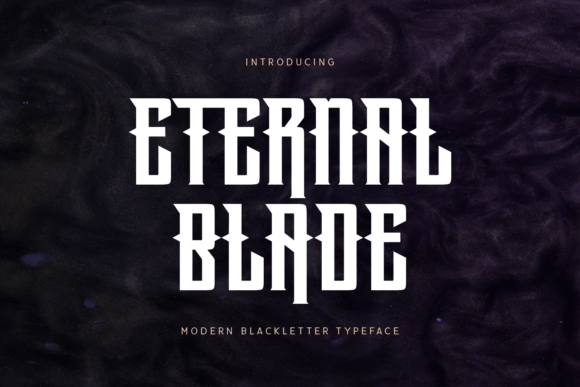
When you are looking for a typeface that commands attention, few options carry the same weight as Eternal Blade. This bold blackletter font is not merely a decorative choice; it is a statement. With its sharp edges, thick lines, and strong traditional aesthetic, it offers an elegant yet powerful appearance that can instantly elevate a design from mundane to memorable. However, because it is such a distinctive style, using it effectively requires more than just dragging and dropping it into your software. Many designers and business owners make critical errors when incorporating this font, leading to projects that look cluttered, unprofessional, or difficult to read.
If you are considering Eternal Blade for headlines, logos, or branding materials, understanding its nuances is essential. The goal is to harness its dramatic impact without sacrificing readability or visual balance. Below, we break down common pitfalls associated with blackletter typography and provide practical advice on how to use Eternal Blade to achieve high-quality results.
The Allure and Application of Bold Blackletter
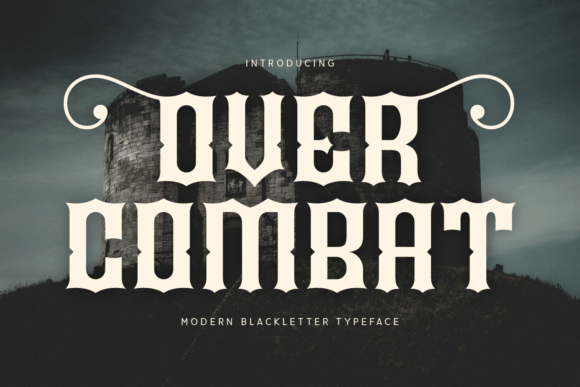
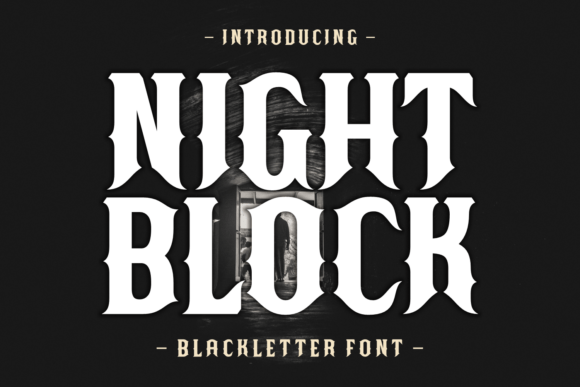
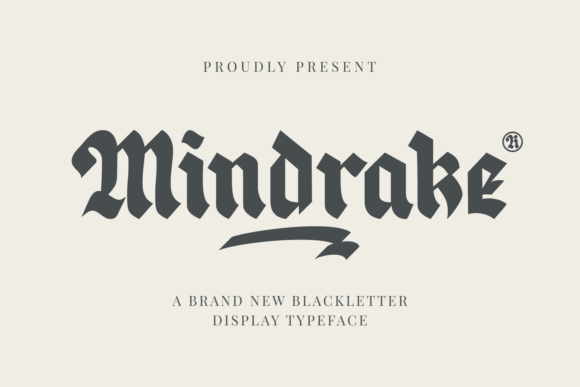
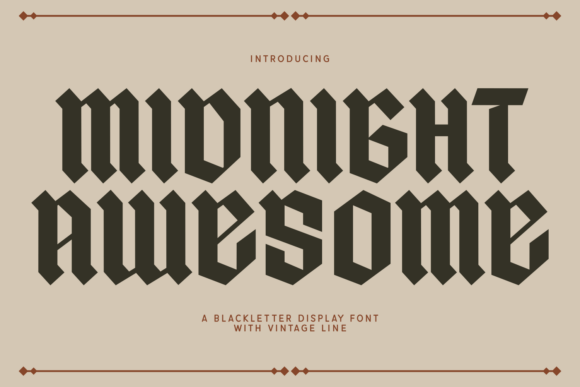
Blackletter fonts have a rich history, often associated with medieval manuscripts, heraldry, and classic rock aesthetics. Eternal Blade captures this heritage while maintaining a modern sharpness. Its thick strokes and intricate details make it ideal for creating a dramatic impact. It is particularly effective in contexts where tradition, strength, or exclusivity is desired. For instance, a craft brewery might use it on a beer label to suggest artisanal quality, or a law firm might incorporate it subtly into a logo to convey stability and legacy.
However, the very features that make Eternal Blade striking—its complexity and density—are also what make it challenging to work with. Unlike sans-serif fonts that prioritize clarity and speed of reading, blackletter demands space and respect. When used incorrectly, these characteristics can overwhelm the viewer rather than engage them.
Mistake #1: Overusing Complex Typography
The most frequent error creators make is treating Eternal Blade as a body text font. Because of its detailed structure and heavy ink coverage, this font is nearly impossible to read in long paragraphs. Readers will struggle to track lines, leading to eye strain and disengagement. In digital contexts, where screen resolution varies and attention spans are short, this mistake can significantly hurt user experience and conversion rates.
The Better Approach: Reserve Eternal Blade for headlines, titles, and short phrases. Let it serve as the "hook" that grabs attention, then pair it with a clean, simple sans-serif or serif font for any supporting text. This contrast ensures that your message is both visually striking and easy to digest. For example, if you are designing a website header, use Eternal Blade for the site name but keep navigation menus and article text in a neutral typeface like Arial or Lato.
Mistake #2: Ignoring Kerning and Spacing
Blackletter fonts have unique spacing requirements. The sharp angles and thick lines can create optical illusions where letters appear too close together or unevenly spaced if standard kerning is applied. A common misunderstanding is that default settings are sufficient. In reality, Eternal Blade often requires manual adjustment to look balanced. Tight spacing can cause the thick strokes to merge, creating a muddy blob that loses its elegant character. Conversely, excessive spacing can make the letters look disjointed and weak.
The Better Approach: Always zoom in to 100% or larger when adjusting your text. Check every pair of letters, especially those with vertical stems meeting curves or sharp points. Use tracking (overall letter spacing) to give the word room to breathe. If you are designing a logo, consider custom kerning to ensure the wordmark feels cohesive. Remember, white space is not empty space; it is a crucial element that defines the shape of your letters.
Mistake #3: Poor Color Contrast
Because Eternal Blade has such a strong visual presence, it does not tolerate low-contrast backgrounds well. Placing black text on a dark gray background, or white text on a light beige, can soften the sharp edges and diminish the font's power. Furthermore, complex backgrounds behind blackletter text can interfere with the intricate details, making the letters illegible.
The Better Approach: Stick to high-contrast combinations. Black text on white, or white text on black, is always safe and effective. If you want to introduce color, choose solid, deep hues that complement the darkness of the font. Avoid busy patterns or gradients behind the text. If you must use a textured background, place a solid-colored overlay behind the text block to ensure clarity. This preserves the integrity of the font while allowing for creative background elements.
Evaluating Licensing and Usage Rights
Before downloading or purchasing Eternal Blade, it is crucial to verify the licensing terms. Fonts are intellectual property, and misuse can lead to legal issues and financial penalties. Some free versions of popular fonts may be restricted to personal use only, meaning you cannot use them in commercial projects like client logos, product packaging, or advertising campaigns.
- Check the License Type: Look for clear distinctions between "Personal Use" and "Commercial Use." If you are a freelancer or business owner, you almost certainly need a commercial license.
- Verify the Source: Download fonts only from reputable foundries or authorized marketplaces. Unofficial sources may distribute modified or malicious files, or fonts that lack proper support.
- Understand Distribution Rights: Some licenses allow you to embed the font in PDFs or websites, while others do not. Ensure your intended use case is covered by the license you purchase.
Failing to check these details can result in unexpected costs or the need to redesign your project entirely. Investing in a proper license is a small price to pay for peace of mind and professional compliance.
Pairing Strategies for Maximum Impact
To get the most out of Eternal Blade, you need to understand how to pair it. The key is balance. Since Eternal Blade is loud and dominant, its partner should be quiet and supportive. Here are two effective pairing strategies:
- High Contrast Pairings: Combine Eternal Blade with a minimalist sans-serif font. The stark difference between the ornate blackletter and the clean geometric shapes creates a modern, sophisticated look. This works exceptionally well for fashion brands, music events, or luxury goods.
- Classic Serif Pairings: For a more traditional feel, pair Eternal Blade with a sturdy serif font like Garamond or Baskerville. This combination reinforces the historical roots of the blackletter style, making it suitable for academic institutions, heritage brands, or formal invitations.
Avoid pairing Eternal Blade with other decorative or script fonts. Competing styles will clash, resulting in a chaotic and unprofessional appearance. Keep the hierarchy clear: one dominant display font, one readable secondary font.
Final Thoughts on Implementation
Using Eternal Blade successfully comes down to restraint and precision. It is a tool for emphasis, not explanation. By avoiding common mistakes like overuse, poor spacing, and low contrast, you can leverage its bold aesthetic to create designs that are both beautiful and functional. Take the time to test your layouts at different sizes, check your licensing, and experiment with pairing options. When done correctly, Eternal Blade adds a layer of gravitas and elegance that few other typefaces can match. Whether you are a seasoned designer or a beginner exploring typography, respecting the nature of this font will lead to better outcomes and higher satisfaction with your final projects.